The VMA00102 outputs audio from the TV tuner, TV apps and devices connected to the TV via HDMI in analogue form. This allows you to connect a stereo system, active speakers, hearing aid amplifiers or headphones.
To do this, the TV must have a socket labelled HDMI ARC or HDMI eARC. Typically, TVs have 4 HDMI sockets, but only one of them supports this function.
If you are not receiving any audio output, please ensure that
- the VMA00102 is connected to the TV’s HDMI-ARC port
- the VMA00102 is powered via USB (LEDs are lit)
- HDMI-CEC is enabled on the TV
HDMI CEC could have different names:
on LG it is called Simplink,
on Samsung Anynet+
on Panasonic Vieralink
on Sony BraviaSync or BraviaLink
on Philips EasyLink
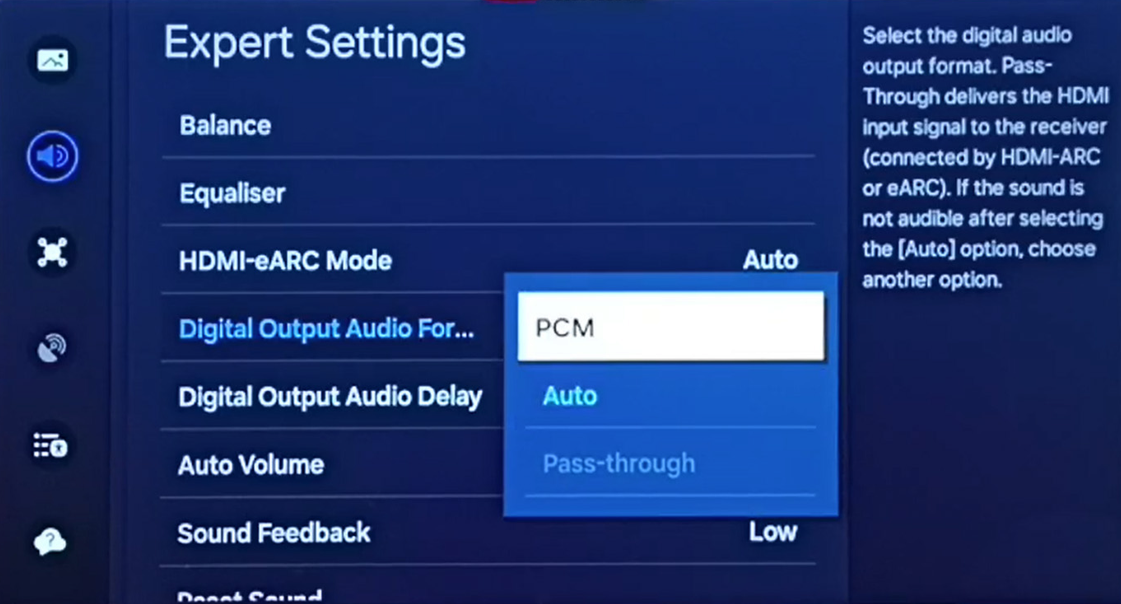
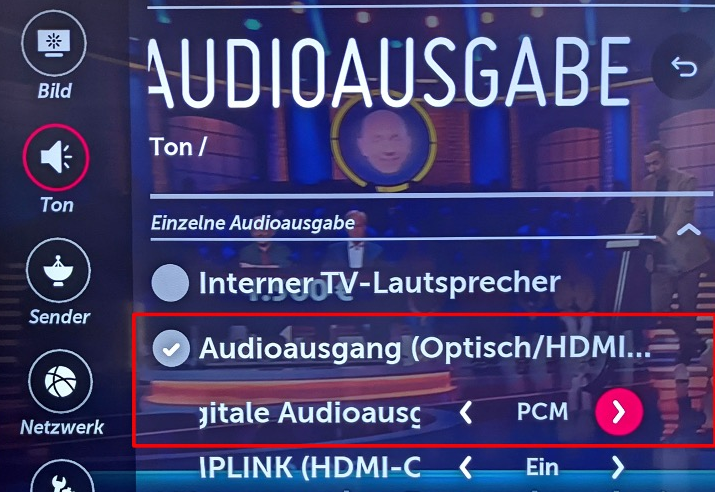
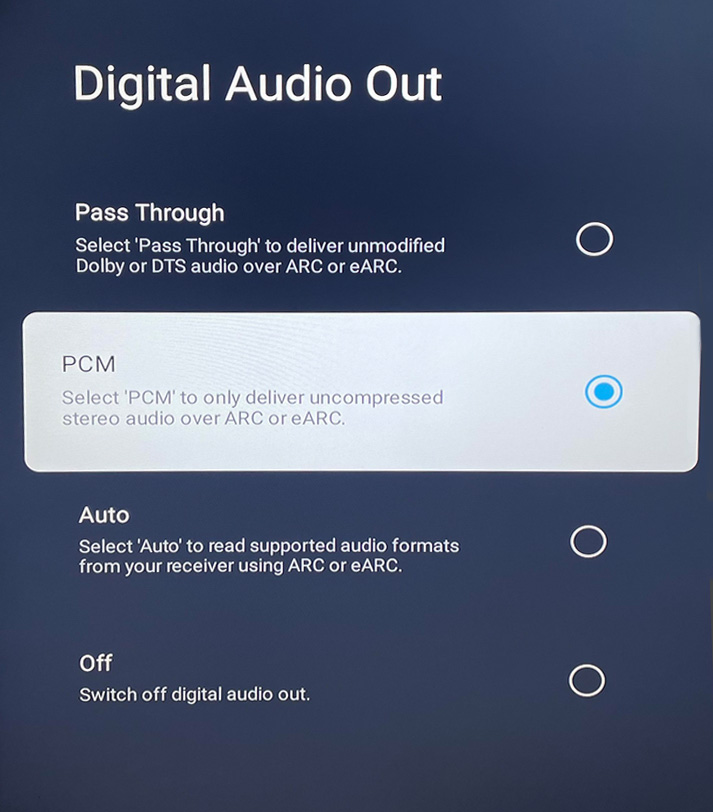
4. the digital audio format on the TV is set to PCM or Stereo. This setting can be found under HDMI settings, Sound settings or Device settings; on Samsung under Sound > Expert settings.
TVs will then normally output the sound automatically via VMA00102 and switch off their internal speakers. On some TVs, you need to change the audio output in the menu, e.g. under Speaker Selection to Home Cinema / External / Home Theatre / Home Cinema / AV Receiver
If that doesn’t help, please try a different HDMI cable. It must be fully wired. This is usually the case for all cables from the last 10 years, provided they were purchased separately. Older cables or those supplied with cheaper devices are sometimes not fully wired. You cannot tell this by looking at the cable.
If you have sound but cannot adjust the volume, switch off the HDMI-CEC function on the TV (see above for different manufacturer names), switch off the TV and unplug it for one minute. Then switch the TV back on and re-enable HDMI-CEC.
Samsung TV:
LG TV:
Android TV, e.g. Panasonic, Sony:
Was this article helpful?
That’s Great!
Thank you for your feedback
Sorry! We couldn't be helpful
Thank you for your feedback
Feedback sent
We appreciate your effort and will try to fix the article